SOP: Sender Verification Email in SendGrid
(Single Sender Identity)
Purpose:
To verify a sender email address in SendGrid so emails can be sent from a trusted and approved “From” address.
Who This Is For:
Team members responsible for email setup, onboarding, or SendGrid configuration when domain authentication is not yet complete.
Time Required:
5–10 minutes
✅ Prerequisites
Active SendGrid account
Access to the sender email inbox
Physical business mailing address
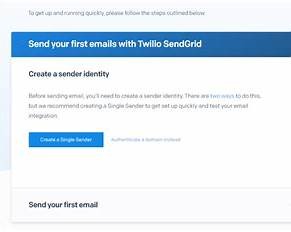
Step 1: Open Sender Authentication
Log in to SendGrid
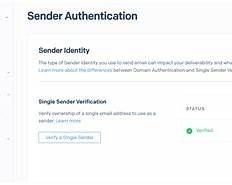
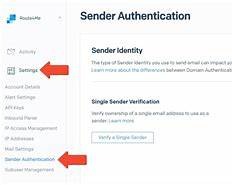
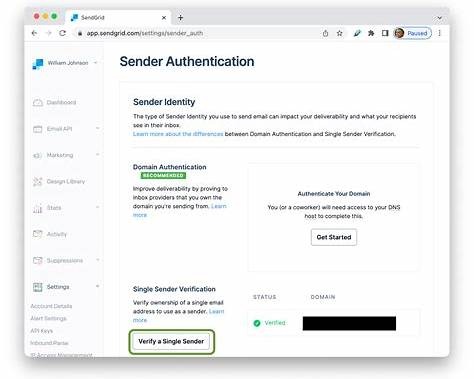
Go to Settings → Sender Authentication
Under Single Sender Verification, click Create New Sender
Step 2: Enter Sender Details
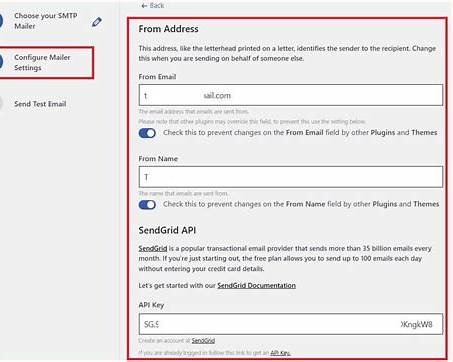
Fill in all required fields:
Sender Information
From Name (Business or Person)
From Email Address (Must be accessible)
Reply-To Email (Optional)
Company Name
Company Website
Address Information (Required by Law)
Street Address
City
State/Province
Postal Code
Country
Click Create
? This information appears in email footers for compliance.
Step 3: Verify Sender Email Address
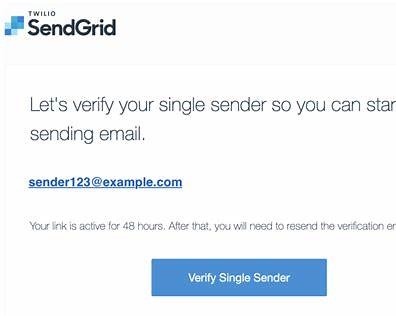
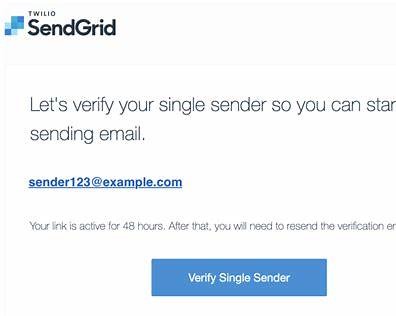
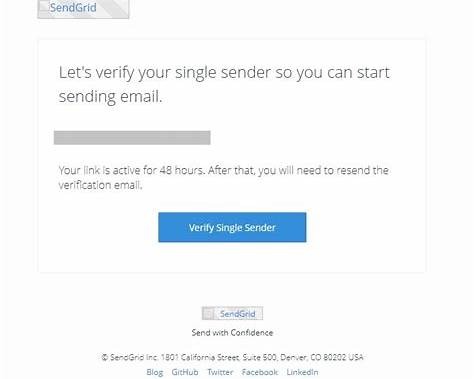
Check the inbox of the From Email Address
Look for an email from SendGrid
Click Verify Single Sender
⚠️ This link expires—verify promptly.
Step 4: Confirmation in SendGrid
After clicking verify:
You’ll see a success confirmation
The sender status changes to Verified
You can now send emails from this address.

Step 5: Confirm Active Sender
Return to Settings → Sender Authentication
Confirm sender shows Verified
Select it as the default sender if needed
❗ Common Issues & Fixes
❌ Didn’t Receive Verification Email
Check spam/junk folder
Confirm email address is correct
Click Resend Verification
❌ Link Expired
Re-send verification email from SendGrid
❌ Can’t Send Emails
Sender not verified
Domain authentication may be required for higher volume
✅ Completion Checklist
Sender identity created
Verification email received
Verification link clicked
Sender status shows Verified
Test email sent successfully
? Best Practices
Use a real inbox (not no-reply initially)
Verify every sender address
Migrate to Domain Authentication for production sending
Was this article helpful?
That’s Great!
Thank you for your feedback
Sorry! We couldn't be helpful
Thank you for your feedback
Feedback sent
We appreciate your effort and will try to fix the article